


The Best Graphic Design Tools for Custom CD and Tape Labels
Gift Guides
The Best Graphic Design Tools for Custom CD and Tape Labels
In the world of music collectibles, custom CD and tape labels offer a personalized touch that can transform these classic formats into heartfelt gifts or memorable keepsakes. Whether you’re creating a mixtape for a friend or organizing your music collection with a unique flair, the right graphic design tools can elevate your project. Below, we explore several top-notch tools that will empower you to craft stunning custom CD and tape labels with ease.
Why Custom Labels Matter
Custom labels aren’t just about aesthetics; they imbue your CDs and tapes with personality, making them more meaningful and memorable. When you take the time to design a label, you communicate thoughtfulness and attention to detail to the recipient. Furthermore, in a world dominated by digital media, physical formats complemented by custom designs offer a nostalgic value that digital lacks.
Adobe Illustrator: The Industry Leader
Adobe Illustrator stands out as one of the most popular choices among graphic designers thanks to its versatility and comprehensive set of features. Illustrator’s vector-based design capabilities allow you to create scalable labels, ensuring that your graphics remain sharp, no matter the size. With its wide array of fonts, colors, and design templates, Illustrator can help you produce professional-grade custom CD and tape labels effortlessly. Its advanced typography tools are perfect for adding text to your labels, and its integration with other Adobe Creative Cloud apps like Photoshop only enhances its functionality.
Canva: User-Friendly Design
For those who might find Illustrator intimidating, Canva offers a more approachable platform without skimping on creativity. Canva is an online graphic design tool that’s renowned for its intuitive drag-and-drop interface, making it ideal for beginners. With thousands of pre-designed templates to choose from, even those with no design experience can create eye-catching custom CD and tape labels. Canva also provides an extensive library of images, icons, and fonts, giving you plenty of materials at your disposal.
Inkscape: An Open-Source Alternative
If you’re looking for a free and open-source option, Inkscape is a powerful tool for creating vector graphics. Comparable to Adobe Illustrator, Inkscape boasts a wide array of features that are perfect for designing custom labels. Its compatibility with various file formats and strong community support make it an attractive choice for budget-conscious creators or those who advocate for open-source software. Although its learning curve may be steeper than that of Canva, its capabilities are worth the effort.
CorelDRAW: For Advanced Precision
CorelDRAW is another fantastic choice for creating custom CD and tape labels, particularly if precision is a high priority in your designs. Known for its exceptional accuracy, CorelDRAW offers advanced tools such as Bezier drawing features, color management, and sophisticated vector illustrator capacities. This tool is suitable for more experienced designers who want full control over the finer details of their creations.
Tips and Tricks for Designing Custom Labels
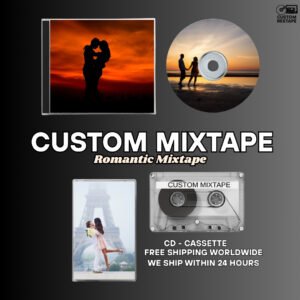
When designing custom labels, consider the theme or mood you wish to convey. Whether it’s romantic, nostalgic, or celebratory, your design elements should reflect this. Integrate consistent fonts and colors that align with the emotion or event associated with your mixtape or CD. Make sure that your label’s text, such as the title or tracklist, is easy to read and professionally aligned. Lastly, don’t be afraid to experiment with textures and patterns for a unique touch.
Conclusion
Designing custom CD and tape labels is an art that blends technical skills with creativity. Choosing the right graphic design tool can make a world of difference in your results. Whether you opt for the comprehensive features of Adobe Illustrator, the user-friendly platform offered by Canva, the cost-effective Inkscape, or the advanced precision of CorelDRAW, each tool has its unique strengths tailored to different needs. Regardless of your choice, each one offers a platform for you to create memorable, personalized labels that express the sentiment and artistry of your musical gift.
Ready to bring your music to life?